
S1-S6 Information Technology: personal-data scenarios pack — five situation cards, three questions each, a four-level ladder and a one-page decision table
- StageS1-S6
- SubjectInformation Technology
- Learning strandreflection on the application of AI
- Official documentsBlueprint for Digital Education Development in Primary and Secondary Schools · AI Literacy Learning Framework for Primary and Secondary Schools · Guide to Using AI in Teaching in Primary and Secondary Schools · EDBCM No. 156/2026
- Time to prepare5 minutes of teacher explanation; 35 minutes of class time to work through all five cards
Five situations a school meets every week — a class photo, a parents' group, essays and a class list, results and support records, a graduation photo — and each card asks only three questions: whose data is this, is it identifiable, and is it necessary. A four-level ladder decides whether the material can stay, must be anonymised first, must not be uploaded, or must not go near an AI tool at all.
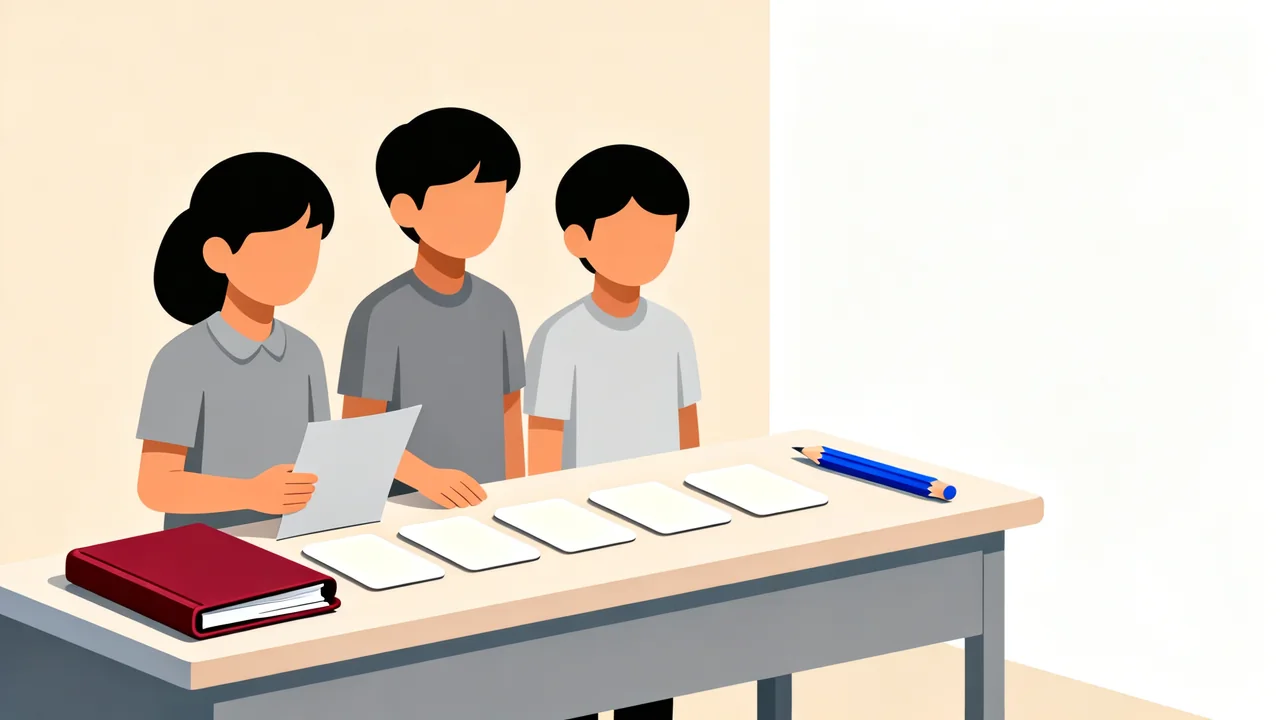
- Equipmenttwo editable Word documents (the five situation cards with the decision table, and the one-page teacher guide); each situation card prints on its own page so a group can be given one; the decision table prints one page per student
- Version1.1
- Last updated2026-11-06
Decisions about personal data rarely fail because nobody has heard of privacy. They fail on one concrete question: can a real person be identified from this photo, this list, this page of notes — and is somebody else in it too. Five cards, three questions each and a four-level ladder turn that question into half an hour of classwork.
What this solves
A school handles personal data every day, and most of the decisions are made when nobody has time to discuss them:
- “It is only a class-shirt design.” A whole-class photo goes up to an outside generation tool, the design comes back, and the photo stays on someone else’s server. The decision was made by whoever happened to be nearest.
- “Paste the group messages in and ask for a notice summary.” The messages carry parents’ names, phone numbers and classes, plus a line or two about individual pupils. The summary reads well and nobody asks where that text went.
- “Five essays — writing comments on each one takes too long.” The essays go in with the names attached. The tool is fast and tidy, and what it received was other people’s work and children’s names.
- “Upload the results sheet and the support records for analysis.” This is the one that goes wrong most easily, because it carries marks, support needs and hints of health or discipline matters all at once.
- “Generate ‘me in ten years’ from the graduation photo — the pupils love it.” The photo is not only of the pupil; the whole class is in it. This card joins up with the likeness and image rights resource.
All five have the same feature: the person concerned is not in the room, and the data has already left the school. This page does not start from abstract principles. It reduces the decision to three questions a pupil can ask out loud, then sorts the answer into four levels. Thirty-five minutes later the pupils have a one-page decision table and the teacher has a set of cards that can be taught and adapted.
Three statements to read first:
- The five cards, the three questions, the four-level ladder and the decision table are this resource’s suggestion. They are not an Education Bureau requirement and they are not legal provisions. What the Bureau asks of this material is that copyright be respected, that permission be obtained before anyone else’s image is uploaded to the internet, and that intellectual property be respected; the circular separately asks schools to protect privacy, to guard against outsourcing thinking, and to remind pupils of compliance with the law and of safety. No document prescribes four levels, the columns of a decision table, or a lesson sequence.
- This page gives no legal advice. It names the Personal Data (Privacy) Ordinance and the Copyright Ordinance by name only, without quoting sections and without penalties. The examples given under level four (individual support records, health data, discipline records) are this page’s examples, not a definition of sensitive data. Whether a given item is sensitive is for the school to decide under its own policy and the law that applies to it.
- This page deals only with the classroom decision about whether to use a piece of material. Publishing approval, retention periods, informing parents and complaints procedures all follow the school’s existing arrangements; nothing here replaces any of them.
Three things this page deliberately leaves out: section numbers, penalties and the names of the data protection principles (there is no copy of the ordinance text on this machine to check them word for word, so writing them would be guesswork); the claim that “parental consent means it can be uploaded”, because consent does not change how levels three and four are handled; and any suggestion that the four levels are an Education Bureau rule.
Learning objectives
By the end, pupils can:
- Say, for any card, whose data it is: their own, someone else’s, or the whole class.
- Judge whether the material makes a real person identifiable, and name at least one field that could be removed — a name, a photo, a voice, a student number, a class.
- Place each of the five cards on the four-level ladder and give a one-sentence reason.
- Write one concrete alternative for every card — not “handle it carefully”, but an action somebody could actually take.
- Carry the same judgement back to their own work: before submitting, ask once whose face is in the picture and whether anyone was asked.
The page addresses one of the three learning strands of AI literacy: reflection on the application of AI. It sits between protecting privacy and guarding against outsourcing thinking — protecting privacy asks whether this material has to leave the room at all, and guarding against outsourcing asks whether this was a judgement the teacher should have made. Of the four attitudes, the two that matter most here are responsibility and respect for others: responsibility means remembering whose data it is after it has left the school, and respect means not treating somebody else’s photo or record as free material.
How to use it
The attachments are two Word documents: the five situation cards with the decision table (one page per card, plus a one-page table) and the one-page teacher guide. There are five cards and no more; the order can be changed to suit the class, the content of a card cannot.
Step 1: Three questions, in a fixed order
Each card asks three questions. The order is fixed — not swapped, not merged. They are three steps of one line of reasoning, and skipping any one of them leaves the later judgement without a basis.
| Question | What it asks | What the pupil writes |
|---|---|---|
| 1 | Whose data is this: mine / someone else’s / the whole class | One choice, plus a sentence saying why |
| 2 | Is it identifiable: name, photo, voice, student number, class; can any of these be removed first | Yes or no; if yes, name at least one field that could go |
| 3 | Is it necessary, and is there an alternative: only the fields needed, only for as long as needed, or fictional material for the demonstration | One concrete action |
Three points to make to the class:
- Question 1 is not “who owns the file”. A class photo sitting on a teacher’s laptop does not make it the teacher’s data; the question is who is in it.
- Question 2 is about whether a real person can be recognised, not about whether the material is public. A class list passed round one room is still identifiable; a photo cropped to a wrist may no longer be.
- Question 3 carries most of the value. The choice is rarely “use it or lose the lesson” — usually a different method reaches the same objective. A pupil who cannot name an action has not finished the card.
Step 2: The four-level ladder, fixed at four
There are four levels and no more, from lowest to highest. The level describes the material as it stands; once an alternative has been applied, the material can drop to a lower level.
| Level | Name | What it means | What is normally done |
|---|---|---|---|
| 1 | Can keep | No personal data, or no longer identifiable | Use as it is |
| 2 | Anonymise first | Identifiable until names, photos and numbers are removed | Remove them, then use it |
| 3 | Must not upload | Identifiable, and other people are in it | Usable in school; not to be uploaded to an outside generation tool |
| 4 | No AI at all | Sensitive material, handled by people only | Not given to any generation tool; handled by staff by hand |
Four things to be explicit about:
- Level 3 does not mean “cannot be used”. A display inside the school or a discussion in the room is fine; the line is drawn at leaving the school.
- The level-four examples are this page’s examples. Individual support records, health data and discipline records are three common kinds; they are not a complete definition of sensitive data, and a school may add to or narrow the list.
- Consent does not change levels three and four. Even with a parent’s agreement, a photo containing a whole class is still level 3. Consent settles whether the material may be used, not whether it may be uploaded to an outside tool — which is why this page never says “parental consent means it can be uploaded”.
- The level follows the material, not the reputation of the tool. This resource says “generation tool” throughout and names no brand; changing the tool changes nothing about the level.
Step 3: Five cards, fixed at five
The cards cover the five situations a school meets most often, and there are five and no more. Each prints on one page; one card per group, and the class works through all five.
| Card | Situation (fictional) | What the three questions ask the pupils to decide |
|---|---|---|
| 1 | Class photo: a whole-class photo is used to generate a class-shirt design and uploaded to an outside generation tool | Who is in it; whether the faces can go without losing the purpose; whether there is a way that involves no photo at all |
| 2 | Parents’ group: messages from a group are pasted into a generation tool to draft a notice | Who is in the messages; whether names and phone numbers can go first; whether fictional messages would do the same job |
| 3 | Essays and a class list: the whole class’s essays go in with names attached, asking for comments on each | Who owns the writing and who owns the names; whether the text alone would do; whether this was a judgement the teacher should make |
| 4 | Results and support records: a results sheet or an individual support record is uploaded for analysis | Which kinds of data are in it; whether it has to leave the room; whether staff by hand or fictional figures would do |
| 5 | Graduation photo: a graduation photo is used to generate “me in ten years” | Who else is in the photo; which judgement on the likeness and image rights page this connects to |
Every situation on the cards is fictional: no real school, person, class or group name appears, and any “Ms Chan” or “Class 3B” on a card is an example. No named tool, brand or supplier appears on a card either — the wording is “generation tool” throughout.
Step 4: The one-page decision table, fixed at five columns
The table is one page, five columns, one per pupil. Each pupil fills in their own after the group discussion rather than having a group leader do it for them.
| Column | What goes in it |
|---|---|
| Situation | The card’s name (class photo / parents’ group / essays and class list / results and support records / graduation photo) |
| Whose data | Mine / someone else’s / the whole class (more than one is allowed) |
| How identifiable | Directly identifiable / not identifiable once certain fields are removed / no longer identifiable |
| Level | Levels 1 to 4, by name |
| Alternative | One sentence naming a concrete action (for example, “paste the text only, keep the names in the teacher’s book”) |
Step 5: The teacher’s 35 minutes
| Time | What happens |
|---|---|
| 5 min | Explain: the order of the three questions and the names of the four levels. Names and order only — the examples come with the demonstration |
| 7 min | Demonstrate card 1 (class photo): work through the three questions and the ladder live, writing the answers up. Say plainly that this one is usable in school and not to be uploaded |
| 12 min | Groups take cards 2 and 3: one card per group, each pupil fills the table first, then three minutes comparing answers. The teacher moves between groups and gives no answers |
| 6 min | Cards 4 and 5 (teacher-led): taught by the teacher rather than worked in groups, because they involve sensitive material and other people’s photos; the pupils still fill in their own tables |
| 5 min | Close: display the five cards side by side with their levels and ask which one is most often treated as a small matter. Land on “change the method” |
The sequence is 35 minutes and sets no homework. To extend it, ask pupils to fill in a decision table for the most recent piece of work they submitted and bring it to the next lesson.
Answer key and marking notes
The answers below are one reasonable reading, not the only one. What is being assessed is whether the three questions were worked through in order and whether the alternative names a real action — not whether a pupil picked the same level as the teacher.
| Card | Whose data | How identifiable | Level | One reasonable alternative |
|---|---|---|---|---|
| 1 Class photo | The whole class (others and self) | Directly identifiable (faces) | Level 3, must not upload | Demonstrate the design in the room with geometric shapes or colour blocks and hand over no photo at all |
| 2 Parents’ group | Others (parents, pupils) | Directly identifiable (names, phone numbers, class) | Level 3, must not upload | Remove names, phone numbers, classes and the group name and use only the items and dates; or write a fictional message to demonstrate with |
| 3 Essays and class list | The whole class (others and self) | Directly identifiable (names, work) | Level 3, must not upload | Paste the text only and match it to a seat number in the teacher’s book; the teacher decides which comments are kept |
| 4 Results and support records | Self and others | Directly identifiable (names, student numbers, support records) | Level 4, no AI at all | Staff handle it by hand; to demonstrate an analysis, use fictional figures and say that they are fictional |
| 5 Graduation photo | Self and classmates (others) | Directly identifiable (faces) | Level 3, must not upload | Hand over no photo and generate a fictional figure from a written description instead; or use only an example photo with consent and keep it inside the school |
Four marking points:
- Order. Were the three questions answered 1, 2, 3? Jumping straight to “do not use it” is incomplete work, not caution.
- Specificity. Does the alternative name an action, a field or a change? “Handle it carefully”, “it depends” and “get consent” all count as unfinished.
- Reason for the level. Can the pupil say whether the level rose because other people are in the material or because the material itself is sensitive? That sentence is the heart of the exercise.
- Disagreement. Two groups reaching different levels for the same card is fine, provided both can give their reasons. There is no need to settle on one answer; putting the two reasons side by side is more useful than a correct one.
One common wrong answer, and how to answer it: a pupil says “I took the photo, so I can use it”. The reply is about who is in it rather than who owns it: the photographer owns the file, not the faces in it. Question 1 asks who is in the picture; question 2 asks whether they can be recognised.
Files
Personal-data scenarios pack: five situation cards and decision table (editable Word document)
Six sections, each usable on its own: the five header facts (stage, subject, learning strand, official documents, time to prepare), the three questions with the four-level ladder, the five situation cards (one page each, to be copied for groups), a one-page decision table with five columns, a one-page set of example answers, and a one-page review checklist. Every situation is marked fictional, with no real school, person or class named.
Personal-data scenarios pack: one-page teacher guide (editable Word document)
One page, for a subject team using it for the first time: the 35-minute sequence, how to lay out the five cards, three common wrong answers with a response to each, and when to stop the lesson and hand the matter to the school.
Official documents
Every resource in this library is written to the AI Literacy Learning Framework for Primary and Secondary Schools and falls within the policy scope of the Blueprint for Digital Education Development in Primary and Secondary Schools.
This resource maps to:
- Blueprint for Digital Education Development in Primary and Secondary Schools (three-fold leaflet, p.2): requires digital and AI education to be planned in the School Development Plan, with the arrangements explained to teachers, pupils and parents; reducing “which material may leave the room” to three questions a class can work through is part of explaining those arrangements.
- Supplement I: AI Literacy Learning Framework for Primary and Secondary Schools (p.1-4): sets out the three learning strands; this resource addresses reflection on the application of AI.
- Supplement II: Guide to Using AI in Teaching in Primary and Secondary Schools (p.2-4): requires teachers to exercise professional judgement, putting people first with technology as an aid; this page puts “was this a judgement I should have made” above the ladder rather than leaving it to a tool’s default settings.
- EDBCM No. 156/2026 (Supplement I, section 4): protecting privacy and guarding against outsourcing thinking; the three questions and the four levels are one way of meeting both in a school, but the cards, the levels and the table are this resource’s suggestion, not an Education Bureau requirement.
- EDBCM No. 156/2026 (Supplement II, Teacher Information Pack, “4. Key messages, 4. For students”): compliance with the law and safety — respect copyright, obtain permission before uploading anyone else’s image to the internet, and respect intellectual property.
Learning strand: reflection on the application of AI
A note on curriculum wording: there is no official curriculum framework for secondary Information Technology equivalent to the Primary Information and Technology Curriculum Framework, which is a primary pilot. This page borrows only wording of the kind it uses (“identifying and protecting data”) and does not present it as a secondary requirement, nor quote its items.
Official documents page: https://www.edb.gov.hk/en/edu-system/primary-secondary/applicable-to-primary-secondary/it-in-edu/debp.html
This page is an independent Beets teaching resource, not an official EDB document. The five situation cards, the three questions, the four-level ladder and the decision table are this resource’s suggestion for schools to adopt, and a school may adjust them; they must not be presented as an Education Bureau requirement. This page gives no legal advice: it names the relevant ordinances and quotes no sections and no penalties, and the examples under level four are examples, not a definition of sensitive data. Publishing approval, data retention and arrangements for informing parents follow the school’s existing policy.
Feedback
If you have any comments or questions about this resource, or an idea for the next one, tell us on the feedback page.
Related resources
- S1-S6 cross-subject: the academic integrity declaration — how I used AI on this piece of work (four levels, one page, six columns)
- S1-S6 Class teachers and parents: responding to AI-generated harassment — a four-step procedure, three situations and a first-24-hours timeline
- S1-S6 across subjects: assessment-integrity policy (four task categories, one in-class task per subject per term, a four-step process)
- S1-S3 ICT: repair the biased AI (four debugging tasks)
Reuse
Download and adapt these resources freely for teaching; please keep the attribution.