
P4-S6 cross-subject: verify before you share — a three-step check for a screenshot
- StageP4-S6
- SubjectCross-subject
- Learning strandreflection on the application of AI
- Official documentsBlueprint for Digital Education Development in Primary and Secondary Schools · AI Literacy Learning Framework for Primary and Secondary Schools · Guide to Using AI in Teaching in Primary and Secondary Schools · EDBCM No. 156/2026
- Time to prepareOne 60-minute lesson; about 10 minutes to print beforehand
A screenshot arrives and nobody can say where it started. The three steps ask only three things: find the original, compare it line by line, then find a second source unconnected to the post. All three must be answered before anything is shared — and the source and its date travel with the picture. Includes a five-column check sheet, four ways a screenshot can look genuine, and a 60-minute paired lesson.
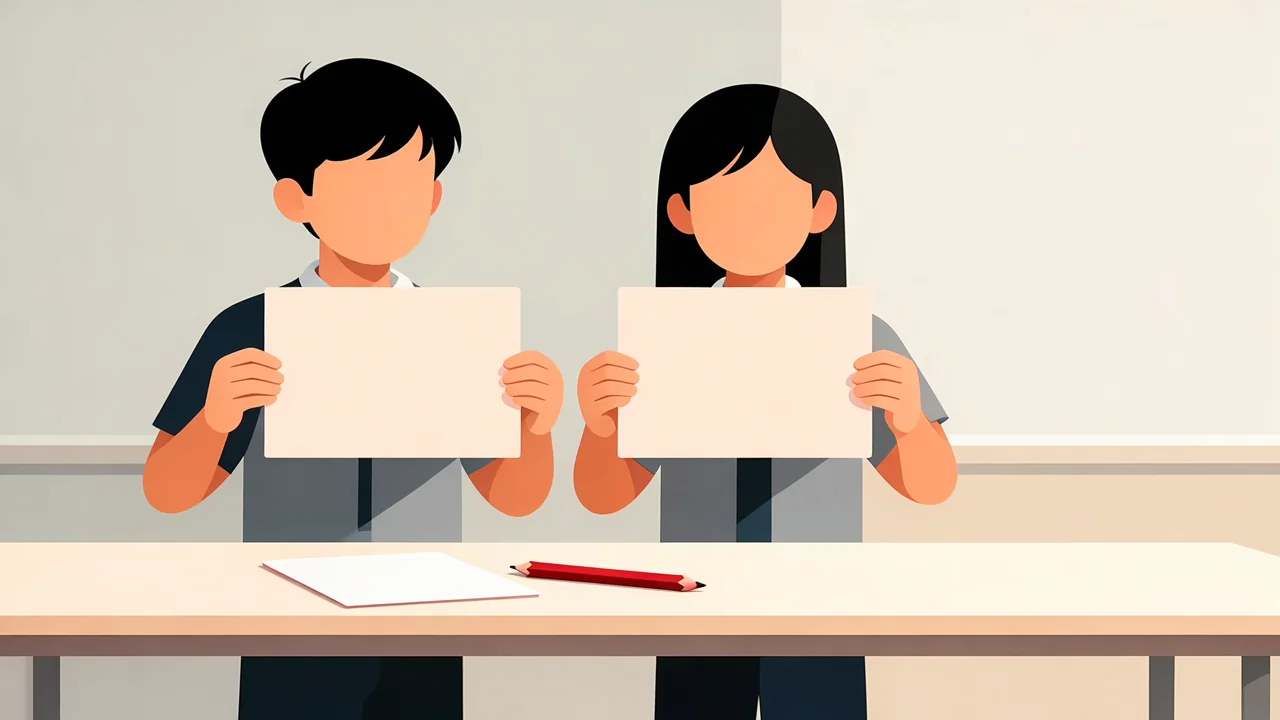
- Equipmenttwo fictional screenshots made by the teacher (one set per pair); a one-page five-column check sheet (one per pupil); a whiteboard or projector
- Version1.1
- Last updated2026-11-21
A screenshot may be untouched, or one line of it may have been changed. The question is not whether it is true. The question is whether it has yet met the conditions for being passed on.
What this solves
Screenshots are the most-forwarded material in a school: a notice, a fragment of a conversation, a line saying “reply before noon today”. It looks like evidence — there is a picture, a time, some dialogue — but by the third or fourth hand nobody knows where it first appeared.
The difficulty is not that pupils are gullible. It is that there is no point at which anyone is expected to stop. Sharing takes a second; asking “where did this come from” needs a routine. This page is that routine: three steps, five columns, four situations, one lesson.
The three steps settle one question only: does this screenshot now meet the conditions for being shared? They do not judge whether the content is true, and they do not ask a pupil to work out whether an image was generated. That is not something a classroom can do, and it should not be handed to pupils as a task.
Three things to read first:
- The names “three steps”, “five-column check sheet” and “the four situations” are this resource’s suggestion; the Education Bureau’s documents do not use them. The basis is what those documents do require: checking and verifying information, not using or forwarding unverified information casually, and protecting personal data. No document prescribes the number of steps, the columns or a lesson sequence.
- This page offers no tool for deciding whether something is real, and it passes no judgement on any platform. The steps test the conditions for sharing; they do not test truth. Pupils are not asked to decide whether an image was generated, and no detection method is taught. The four situations explain only why a screenshot reads as genuine — there is no technical analysis.
- The Primary Information and Technology Curriculum Framework is a primary pilot. This page covers P4-S6; the secondary years use the same vocabulary, but no equivalent official framework exists for them, so nothing here is presented as a secondary requirement and none of its items are quoted.
This page does not argue that “no screenshot can be trusted”, and it does not argue that “seeing is believing”. Neither is true: a screenshot can be genuine, and it can also merely look genuine. There is one conclusion — until it has been verified, do not pass it on as fact.
Learning objectives
By the end, pupils can:
- State the three steps, in order, and what each one is trying to find.
- Try to trace a screenshot to its original, and stop at step one when the original cannot be found.
- Compare a screenshot with the original line by line, and name any person, date, number or condition that has been cropped away.
- Find a second source unconnected to the post, and explain why two items that quote each other count as one.
- Record a decision on the five-column sheet, and accept that “do not share” is a completed answer.
The page addresses reflection on the application of AI, one of the three learning strands, and sits between checking and verifying information and protecting personal data. Three values are practised at once: critical thinking means not treating “it looks like it matches” as “it matches”; responsibility means thinking once about how the person receiving the picture will use it; using technology at the right time means not turning this routine into a formality in situations that need no verification at all.
How to use it
There are three steps and no more. The order is fixed — not swapped, not merged, nothing added. Each step asks one question, and the next step begins only when that question has an answer. If a step cannot be answered, the process stops there and nothing is shared.
Step 1: Find the original
Establish where the screenshot first appeared, on what date, and who published it. All three. If one of them cannot be written down, the original has not been found.
- No original, no sharing — the process stops here. This is not a penalty. Without the original there is nothing for step two to compare against.
- “I only found reposts” counts as “no”. The same picture posted again in another group, by another person, is still a repost.
- The original may be a notice that has been published, a document that has been uploaded, or something the person concerned published themselves. It does not have to be something found online: the copy obtained through the school’s own official channel is an original too.
Step 2: Does it match?
Put the screenshot beside the original and ask two things of every line:
- Is there an identical sentence in the original? A similar meaning is not a match; the words have to line up.
- Has a name, date, number or condition been cropped away? Remove one “except”, one “only”, one “must first”, and the sentence says the opposite.
Three prompts — prompts only, never a basis for a decision:
- Uneven edges.
- Inconsistent type.
- Words on the same line sitting at different heights.
These three tell you to read it again and compare it again. They are not evidence and cannot settle anything: a genuine screenshot can have uneven edges, and an altered one can be perfectly tidy. This page teaches no detection tool and lists no technical indicators.
Step 3: A second source
Find one source unconnected to the post.
- Two items that quote each other count as one source. If both are describing the same thing and one of them credits the other, it is one source, not two.
- Only when all three steps are answered may anything be shared. And when it is shared, the source and its date go with it: say where the original is and when it was published, so the next person can go and look. Passing on the picture alone hands the work of checking to somebody else.
The five-column check sheet (fixed at five)
One page, five columns, one per pupil. No marks, no ranking, no levels.
| Column | What goes in it |
|---|---|
| 1 What I received | One sentence: what kind of screenshot it is and where it came from (no group names, no people’s names) |
| 2 Did I find the original | Where it is, the date, the publisher. Reposts only = “no” |
| 3 Does it match | Matches / does not match / not compared (name the sentence or item that differs) |
| 4 A second source | One source unconnected to the post; “none” if there is none |
| 5 My decision | Share (with source and date) / do not share (say which step you stopped at) |
Two lines must appear on the page and on the sheet:
- “Do not share” is a completed answer. Stopping at step one, two or three is finished work, not failure.
- “I only found reposts” is treated as “no”. Column 2 says no, and there is nothing to guess at further down.
The four situations (fixed at four)
These four explain why a screenshot reads as genuine. They are not four techniques, and all four go through the same three steps.
| Situation | In one sentence |
|---|---|
| Context cropped away | The picture is real but only one part of it survives, and the part that was removed changes the meaning |
| An old picture reused | The picture is real and the date is old; with new words attached it becomes “this happened today” |
| Real picture, added words | The image is real; the line printed across it was written later |
| A generated image | The whole picture came from a tool. It has no original, so step one fails at once |
In class: pairs, two fictional screenshots
One 60-minute lesson. Both screenshots are made by the teacher and entirely fictional: no real school, person or class appears, there are no working links or QR codes, and no real conversation is captured. Every example on this page and in the attachments is fictional.
| Time | What happens |
|---|---|
| 10 min | Demonstrate: the teacher works the three steps on the first screenshot in front of the class, and stops at step two to show what “it does not match, so we stop” looks like |
| 15 min | First screenshot, in pairs: each pupil fills in the five columns, then the pair compares columns 2 and 3 |
| 15 min | Second screenshot, in pairs: a fresh one, deliberately built so that only reposts can be found, so pupils practise writing “no” in column 2 |
| 10 min | Peer review: pairs swap and check only columns 3 and 5 — is the mismatch written down, does the decision say which step it stopped at |
| 10 min | Close: the class reads the three closing sentences together, and the teacher adds one line — so when we do share, the source travels with it |
Three points of teacher control:
- The teacher makes the screenshots. Never taken from a real conversation or a real group, and no real screenshot is used; every example is fictional.
- Pupils are not asked to judge whether it is real. The teacher does not ask “was this one generated”, and compares no tools; discussion stays inside what the three steps can answer.
- Personal data stops the exercise. Personal data in a screenshot must be covered: no name, face, phone number, class or student number is copied onto the check sheet. If a screenshot involves personal data, harassment or a privacy matter, it goes to the teacher and is handled under the school’s existing arrangements rather than discussed in class.
Three closing sentences (read together):
- “I could not find the original.”
- “It does not match.”
- “So I am not sharing it.”
Where this joins other resources
Interfaces only — none of them is redone here:
- The hallucination hunt deals with sentences in an AI answer; this page deals with screenshots passed between people. The object differs, not the habit.
- The personal-data scenarios pack deals with the personal data inside a screenshot and sets out a four-level ladder. This page writes one line — personal data in a screenshot must be covered — and points there; it does not restate the ladder.
- The deepfake response game deals with recognising and responding to deepfake images. This page does not redo it and teaches no recognition method.
Answer key and marking notes
One completed example (entirely fictional, to show the format)
| 1 What I received | 2 Did I find the original | 3 Does it match | 4 A second source | 5 My decision |
|---|---|---|---|---|
| A screenshot headed “activity time changed”, forwarded by a classmate | Original: the school notice board, on a stated date, published by the activity coordinator | Does not match: the screenshot says “all year groups”, the original says “S3 to S6” | Yes: the same notice on the school’s official channel | Share, with the location and date of the original |
| A screenshot headed “fee notice”, forwarded by a relative | No: only reposts in other groups could be found | Not compared | None | Do not share (stopped at step one) |
Three ways of stopping, all of them completed work:
| Stopped at | What should be on the sheet | How the teacher responds |
|---|---|---|
| Step 1 | Column 2 says “no”, column 5 says “do not share (stopped at step 1)” | “You have finished. With no original there is nothing to compare.” |
| Step 2 | Column 3 names the sentence that does not match, column 5 says “do not share (stopped at step 2)” | “The difference you found matters. Say it so the class can hear it.” |
| Step 3 | Column 4 says “none”, column 5 says “do not share (stopped at step 3)” | “One source is not enough. That is the rule, not your problem.” |
Common wrong answers:
- A repost treated as the original. Column 2 names a location, but it is a repost in another group. Ask: “is that where it was first published?”
- The three prompts used as a verdict. “The edges are uneven, so it is fake.” The prompts only send you back to compare; the decision still rests on the original and a second source.
- Judging whether it is real. “This was definitely generated.” This page does not make that judgement; what has to be written is which step the process reached.
- Sharing after a mismatch. Column 5 says “share” while column 3 says “does not match”. All three steps have to be answered — not most of them.
What counts as finished: all five columns filled in (columns 3 and 4 may say “none” or “not compared”), and column 5 either “share, with source and date” or “do not share, stopped at step N”. The sheet is a record of what was done. It is not marked, not ranked, and never becomes a conduct record.
Files
Verify before you share: three-step check card (editable Word document)
Six sections, each usable on its own: the five header facts, the three steps (one page each, to be copied separately), a one-page five-column check sheet (one per pupil, with one fictional example row and three blank rows), the four situations, a 60-minute paired lesson with the teacher’s three points of control, and a one-page review checklist.
Verify before you share: the four situations and a one-page teacher sheet (editable Word document)
One side, for a subject team using this for the first time: the four situations in a sentence each, where the three steps most often stop, three common wrong answers with a response to each, and when to stop the exercise and hand the matter to the school.
Each file carries a version record in its footer.
Official documents
Every resource in this library is written to the AI Literacy Learning Framework for Primary and Secondary Schools and falls within the policy scope of the Blueprint for Digital Education Development in Primary and Secondary Schools.
This resource maps to:
- Blueprint for Digital Education Development in Primary and Secondary Schools (three-fold leaflet, p.2): requires digital and AI education to be planned in the School Development Plan and the arrangements explained to teachers, pupils and parents; turning “may this be shared” into three steps is part of explaining those arrangements.
- AI Literacy Learning Framework for Primary and Secondary Schools (p.1-4): sets out the three learning strands; this resource addresses reflection on the application of AI, within checking and verifying information.
- Guide to Using AI in Teaching in Primary and Secondary Schools (p.2-4): asks teachers to exercise professional judgement and to guide pupils towards critical thinking; here the teacher chooses the examples and the depth, and the judgement is not delegated to a tool.
- EDBCM No. 156/2026 (Supplement I, section 4): checking and verifying information, not using or forwarding unverified information casually, and protecting personal data; the three steps, the five columns and the four situations are one school-level way of meeting all three, but the names, the counts and the sequence are this resource’s suggestion.
Learning strand: reflection on the application of AI
A note on curriculum wording: the Primary Information and Technology Curriculum Framework is a primary pilot. This page covers P4-S6; the secondary years use the same vocabulary, but no equivalent official framework exists for them, so nothing here is presented as a secondary requirement and none of its items are quoted.
Official documents page: https://www.edb.gov.hk/en/edu-system/primary-secondary/applicable-to-primary-secondary/it-in-edu/debp.html
This page is an independent Beets teaching resource, not an official EDB document. The names “three steps”, “five-column check sheet” and “the four situations”, together with the order of the steps, the columns and the four situations, are this resource’s suggestion and not an Education Bureau requirement. This page offers no tool for deciding whether something is real, passes no judgement on any platform, and does not ask pupils to decide whether an image was generated; the prompts about alteration are three observations, never a basis for a decision. Every example on the page and in the attachments is fictional, with no working link, QR code or real screenshot. This page does not claim that no screenshot can be trusted, nor that seeing is believing; there is one conclusion — until it has been verified, do not pass it on as fact.
Feedback
If you have any comments or questions about this resource, or an idea for the next one, tell us on the feedback page.
Related resources
- S1-S6 cross-subject: the academic integrity declaration — how I used AI on this piece of work (four levels, one page, six columns)
- S1-S6 cross-curricular: what AI costs — energy, water and unseen labour, in three clues and a three-column table
- S1-S6 cross-curricular: after AI gets something wrong, who has to account for it — five positions, three types of event and a four-column responsibility map
- S1-S6 Class teachers and parents: responding to AI-generated harassment — a four-step procedure, three situations and a first-24-hours timeline
Reuse
Download and adapt these resources freely for teaching; please keep the attribution.